Enterprise Context

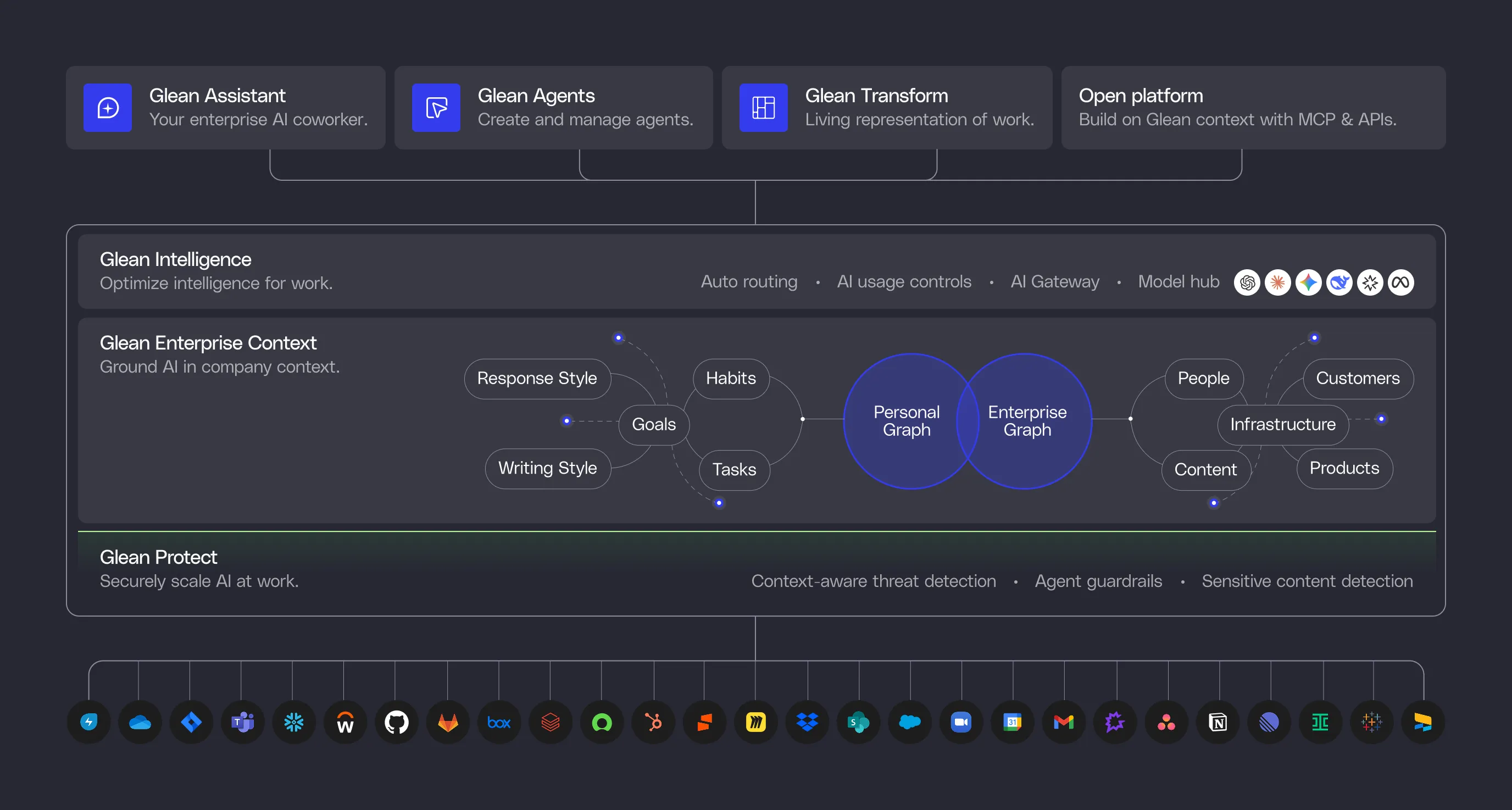
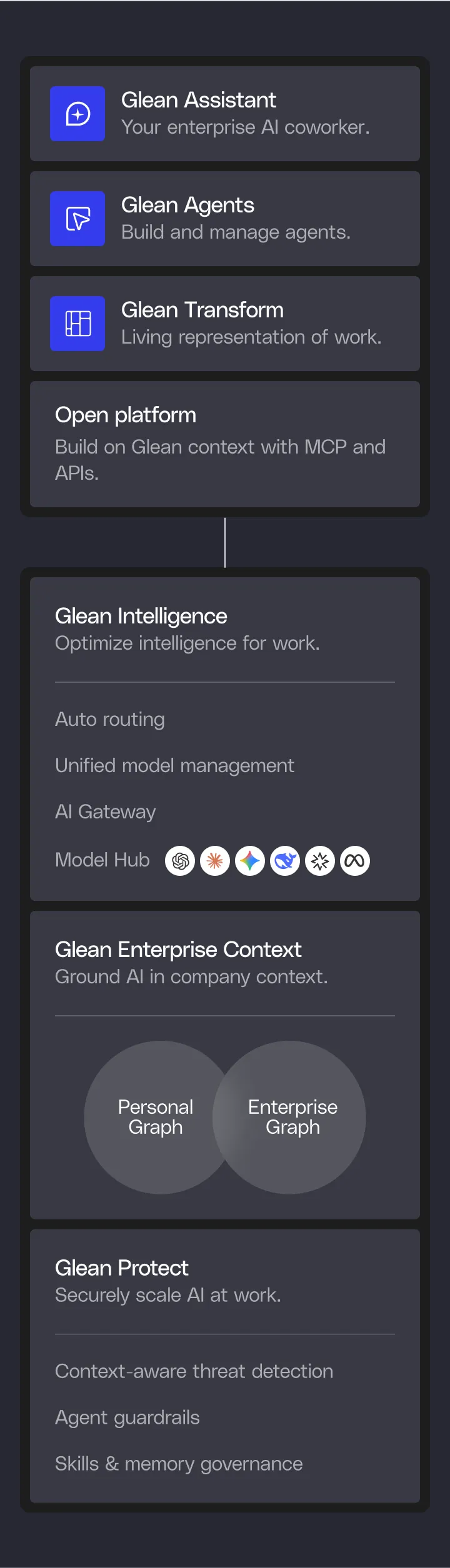
Context is the foundation for AI that can take on real work. Glean builds connectors that capture enterprise signals, search that indexes your data, an Enterprise Graph that maps how everything relates, and enterprise memory that learns your processes — giving you a platform with the full context needed to automate work.

Explore Glean Enterprise Context
Diagram showing Glean Enterprise Context connecting Enterprise graph with nodes like Infrastructure, People, Content, Customers, and Products, and Personal graph with nodes like Goals, Tasks, Work habits, Writing style, and Response style.Diagram showing Glean Enterprise Context with two interconnected graphs: Enterprise graph with Infrastructure, Products, Processes, and Content, and Personal graph with Goals, Work habits, Tasks, Processes, and Response Style.
Green gradient background with the text 'Protect AI' and six white circles containing logos of AI companies like OpenAI and Meta connected by thin green lines.Diagram illustrating data protection with interconnected elements including Processes, Products, Content, People, Infrastructure, Customers, Work habits, Goals, Tasks, Response style, and Writing style.Flowchart showing Protect Agents steps: Start with trigger when user fills RFP and Number of questions, respond by extracting first Number of questions from RFP, then loop through each loop item running steps added to the sub-agent.

Glean Protect

Context is powerful, so it has to be protected. Glean runs in your single-tenant cloud, safeguards sensitive content, enforces strict permissions, and intelligently validates every agent action. Protect keeps your data safe and your agents reliable.

Explore Glean Protect
Workflow diagram showing an RFP Answer Agent setup: user triggers the agent by providing RFP and number of questions, agent extracts questions, loops through each question, and inputs responses in a Google Sheet labeled 'RFP Answer Agent Responses'.Three-step flow showing setup of an RFP Answer Agent: 1) Setting up agent to read and parse spreadsheet questions; 2) Flowchart with trigger on filling RFP and question count, response extraction, and loop through items; 3) Google Sheet titled 'RFP Answer Agent Responses' displaying question columns and sample text.

Glean Agents

Give agents a task, and they use context and reasoning to automate the work. Glean enforces agent behavior at runtime so they follow instructions, run to completion, and stay accurate — delivering real work reliably.

Explore Glean Agents

Open Platform

Index your data once and use it everywhere with Glean’s open APIs, UI-ready web SDK, and headless MCP support. And because your AI stack will keep evolving, multi-cloud support, flexible model choice, and integrated security partners ensure Glean evolves with it.

Explore Glean APIs
Search API interface showing a search for 'Q2 Inventory Planning' with a Google doc result and example Python code using Glean API to query 'vacation policy'.Screenshot of a Chat API code snippet showing Python code importing Glean, initializing with an API token and instance, creating a chat with a message to summarize Q4, and printing the response.Screenshot of 'Agents API' with a card titled Lead evaluation and example Python code using Glean API client to create and run an agent with a query input.
Colorful abstract wave with a smooth gradient transitioning from yellow and green to blue and purple.